

Melon Editor Features
By Melon Gaming
Nov 12, 2019, 12:00:00 AM

Melon Gaming is built around a vision to enable anyone to create their dream games. In an attempt to fulfill that vision, we are now coming out with Melon Editor, a software that will help anyone (especially non developer) build and deploy quality games in the HTML5 platform.
Coming out on early 2019, Melon Editor is a user friendly IDE with features that will allow anyone to make games, even those without knowledge in programming.
Here are the features of Melon Editor :
-
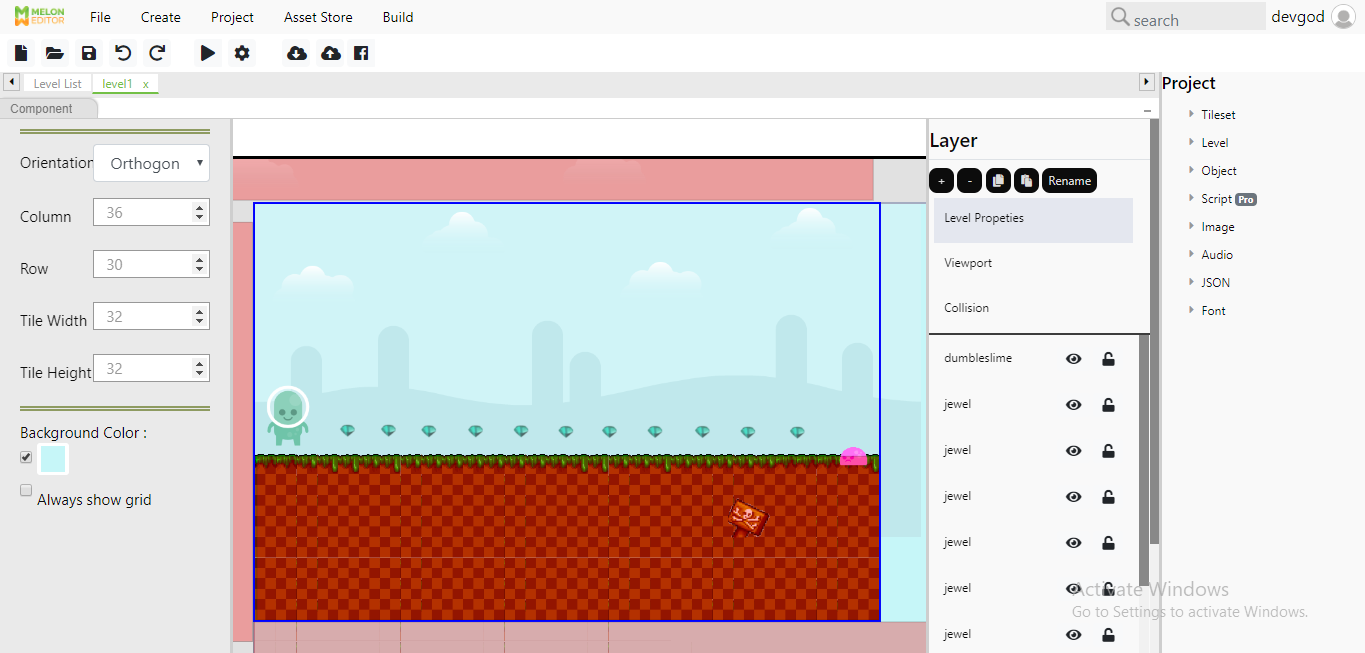
Level Editor
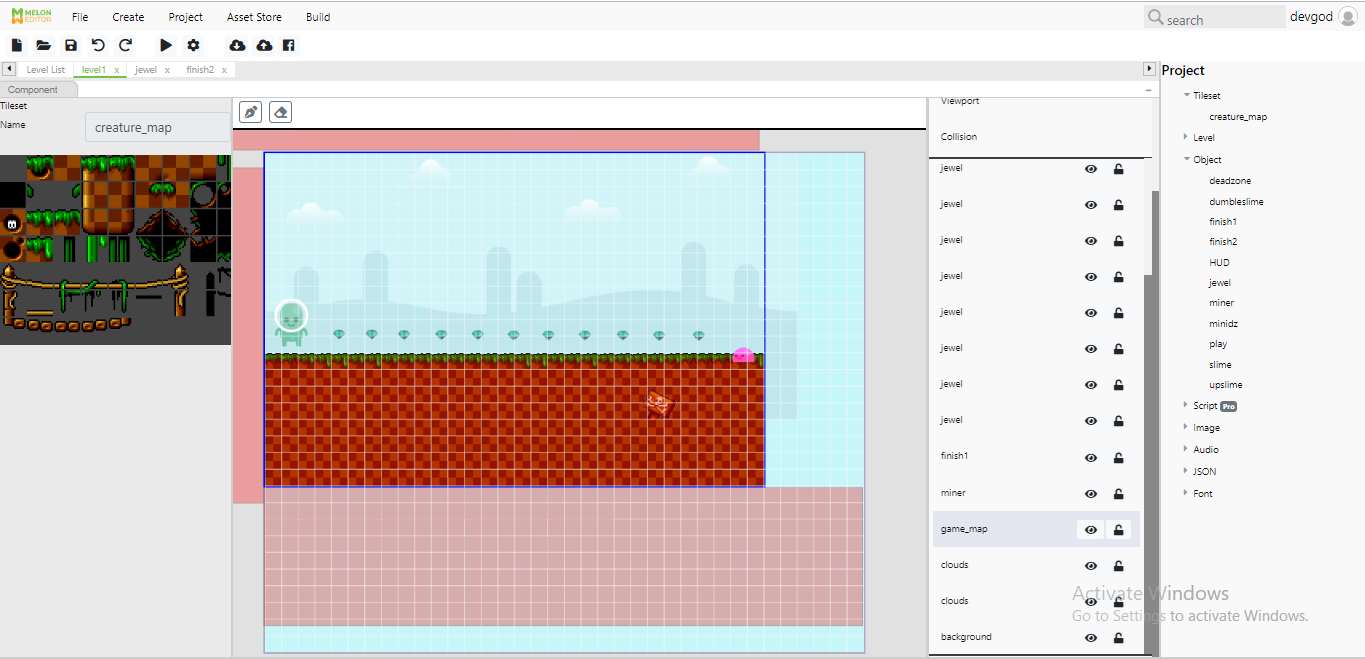
Melon Editor has a built-in level editor. Import the assets you need, and here, you can input them as layers of background, tiles and objects. You can drag them into and around the area, and adjust and arrange them to make your desired scene.
-
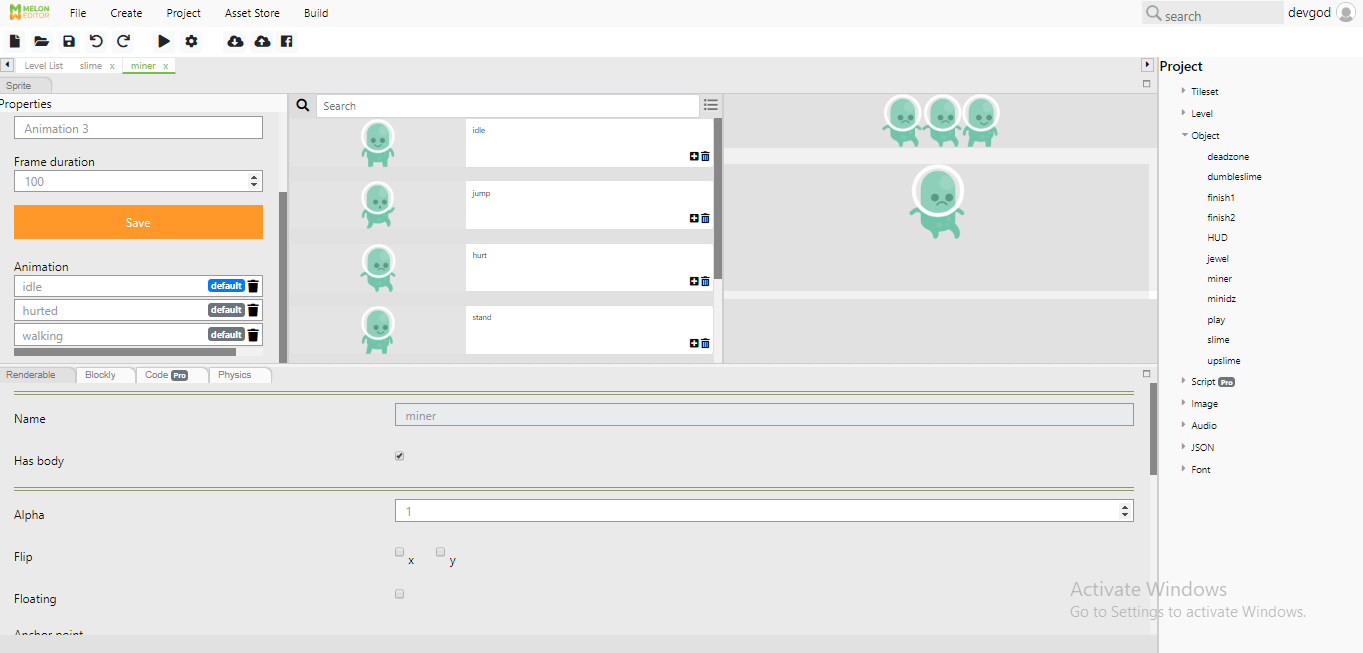
Animation Editor
Import your asset as object by clicking "Object" -> "New". Once you've imported the object, you will be able to animate it by selecting the "Sprite" tab. Select the sequence you want your object to do (ex : walking, running). Adjust the speed by changing the frame duration per second. You can preview your animated object in the preview window.
-
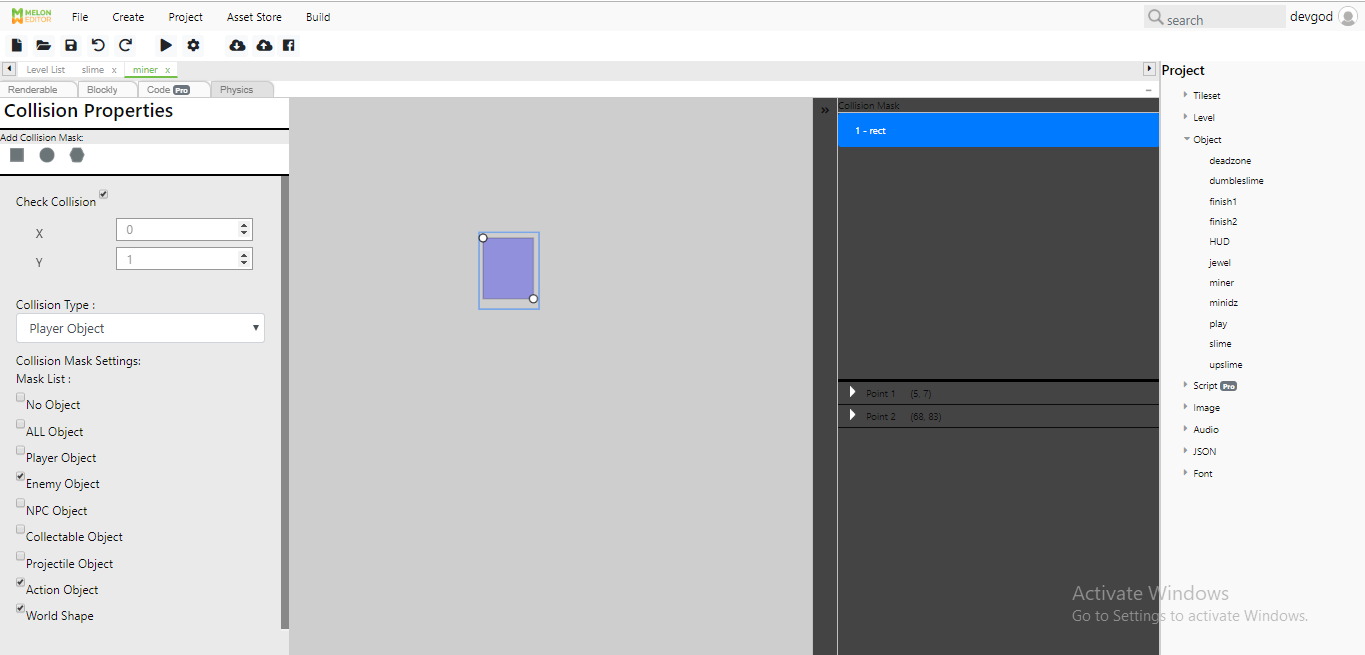
Collision Properties
Once you determine that your object has body, you will be able to input Physics into objects. In the "Physics" tab, you can add gravity, so the object will fall if it does not collide with other object. You can add collision and adjust it in the Collision Properties. This way, your object will be standing on top of the tiles, instead of falling through it.
-
Tileset Editor
Melon Editor also has a built-in Tileset Editor. You can access the Tileset Property by importing a tileset sprite in the "Tileset" menu. You can adjust the height, width, spacing and margin of the tiles. The tileset images will appear on the Tileset Bar on the right when you're editing, allowing you to choose which tiles to draw with.
-
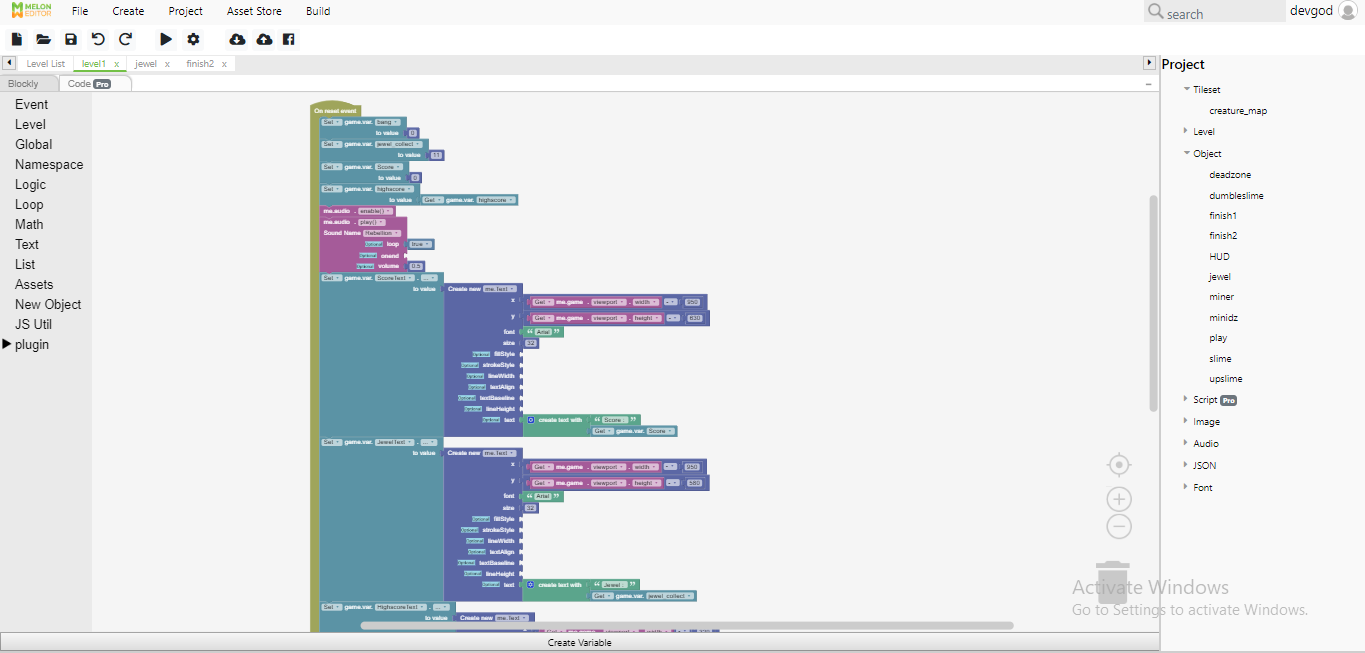
Event Editor
Events are used to put logic into your game. Events are the easier alternative for beginners and those with minimum to no knowledge about programming, as opposed to scripting and typing the programming languages. You only have to select blocks that contain commands, logic, variables, and more, and connect them together to perform basic actions in your games.